

Here i measured the performance difference of all typical Windows versions including the latest 25h2.To my surprise 25h2 is actually the best performing (by far!)Note that all of these benches were on my settings, not stock. Overview in Valorant: Values with proof: W11 25h2 W11 24h2 W10 22h2 Friends System with 5700x3d also saw a …
Category: Windows
May 02 2025
Performance impact of Motherboard Drivers (excluding Armoury)
Overview: Today i am testing a controversial topic: Motherboard Drivers. I always try to inform people that they usually just cause problems, them being bloat essentially.So i finally ran the test on my z790 Apex Encore (because driver packages are unique to a specific motherboard).to show the real difference in performance. Note: these severe fps …
Feb 05 2025
Optimization Comparison in Valorant
Here i measured the performance difference of W10 and W11 but also VS my optimizations applied. So in total thats 4 Windows installs and 4 tests. Keep in mind this is without any Valo-specific tweaks or core affinity changes. Overview: Optimized values with proof: Havent tested my own settings in Valorant yet which is known …
Jan 23 2025
How to see your CPU´s APIC IDs
1. What we needAPIC ID finder 2. After Download 2.1 Extract Zip file content 2.2 Open CMD as Admin2.3 Drag and drop file into CMD window 2.4APICID.exe at the end is important 2.5Click enter and see your APIC IDs for your cores -Tqhr
Jan 20 2025
How to read out crash logs on Windows
1. What we needWhoCrashed 2. After installing the Program 2.1Include Live Kernel Reports2.2Click on Analyze 2.3Scroll down to the crash logs Just a quick tutorial on how to give valuable information to people who are trying to help -Tqhr meme
Dec 04 2024
Performance impact of Armoury / iCUE / Razer Software
Overview: Today i am testing our not so beloved bloat-programs that most people just install because they think those are actually benefitial to the system. Yet as you will soon see quite the opposite is the case.Those programs truly have earned the ranking “King of Bloat”. A whopping 60!!! processes are added just by installing …
Nov 04 2024
Privacy & QoL focused Install [+ Debloat]
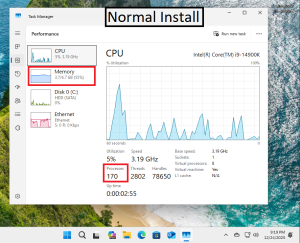
Downloads:[DE Windows Version] [EN Windows Version] Tutorial: 1. Plug in USB with Windows on itcreated with Rufus or Creation Tool 2. Run DE or EN .exe My recommendations after install:C++ Packages + only GPU and LAN or WiFi driverOnly exception is if a specific device doesnt work, which is really rare. You want to keep your System …
Oct 23 2024
How to Install Windows Without USB [Must Have Windows Installed Already]
Before Tutorial: German ISO download or English ISO download + 7zip 1. 2. 3. 4. 5. 6. 7. 8. 9. 10. 11. 12. (See top link for ISO) 13. 14. 15. 16. 17. 18. 19. 20. 21. 22. 23. 24. (Final) -Tqhr
Oct 20 2024
My OC / Windows performance Showcase
My OC / WIN settings Gains RAM + Windows RAM Windows My Win Settings + RAM OC = 78%-164% gain My Win Settings + RAM OC = 43.9%-52.5% gain RAM OC 30%-43.6% gain RAM OC = 12.5%-29.1% gain My Win Settings = 94.5%-125% gain My Win Settings = 33.9%-82.3% gain My Win Settings …
Oct 10 2024
Defender ON VS OFF Performance Comparison
Overview: Pretty simple, having Windows Defender running in the background VS off. Often you will hear something like “no this does NOT make a difference at all, you are just risking getting a virus!!” Well i am here to tell you that it does, infact, make a huge difference.We are talking about a CPU-Upgrade level …
- 1
- 2