Privacy & QoL focused Windows Install [+ Debloat]

Downloads:

[DE Windows Version]
[EN Windows Version]

Tutorial:

1.  
Plug in USB with Windows on it
created with Rufus or Creation Tool

2.  
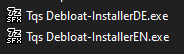
Run DE or EN .exe

My recommendations after install:

C++ Packages + only GPU and LAN or WiFi driver
Only exception is if a specific device doesnt work, which is really rare. 

You want to keep your System as bloat-free as possible to avoid problems. 
The more you install = the more sources of errors exist. 
Also IRQ sharing, which is its own topic and would take too long to explain


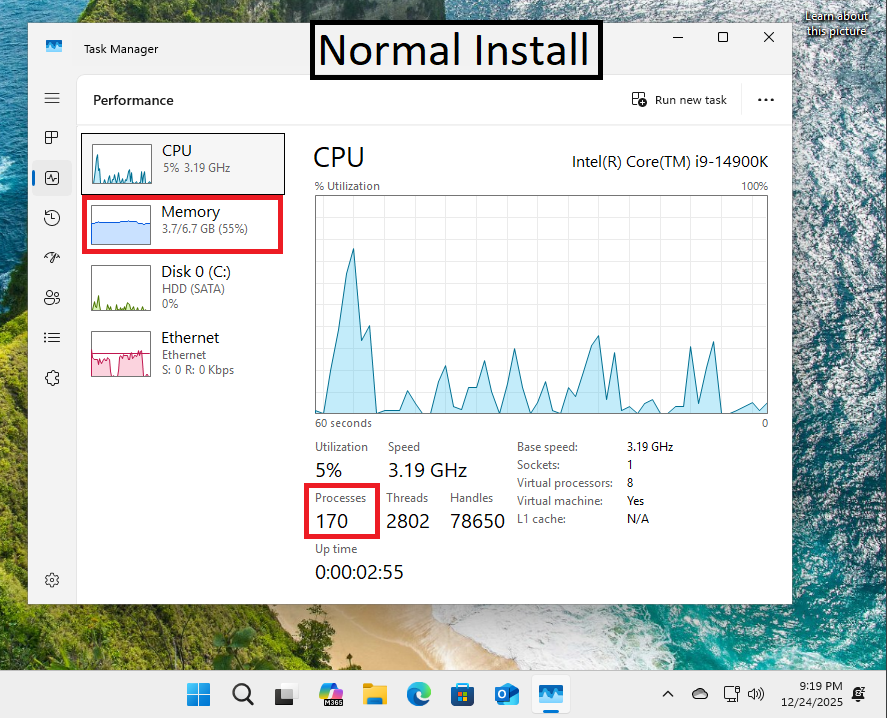
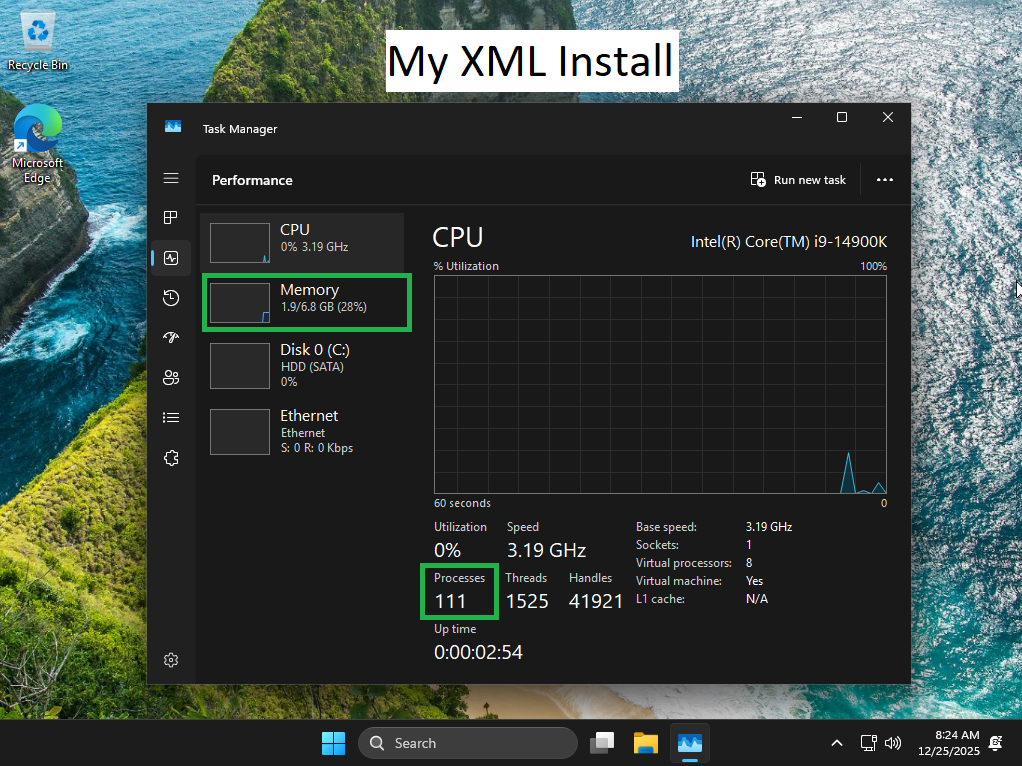
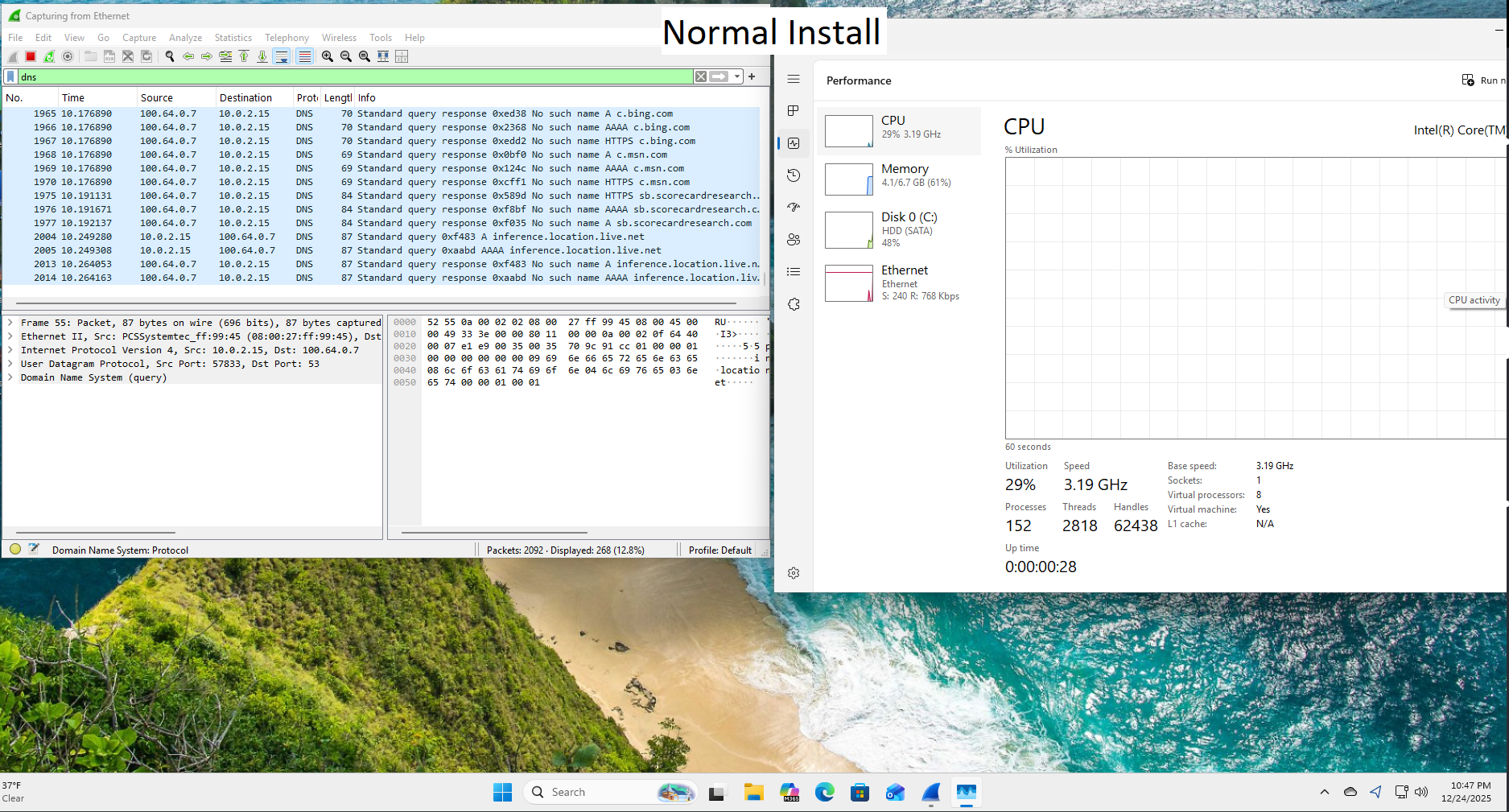
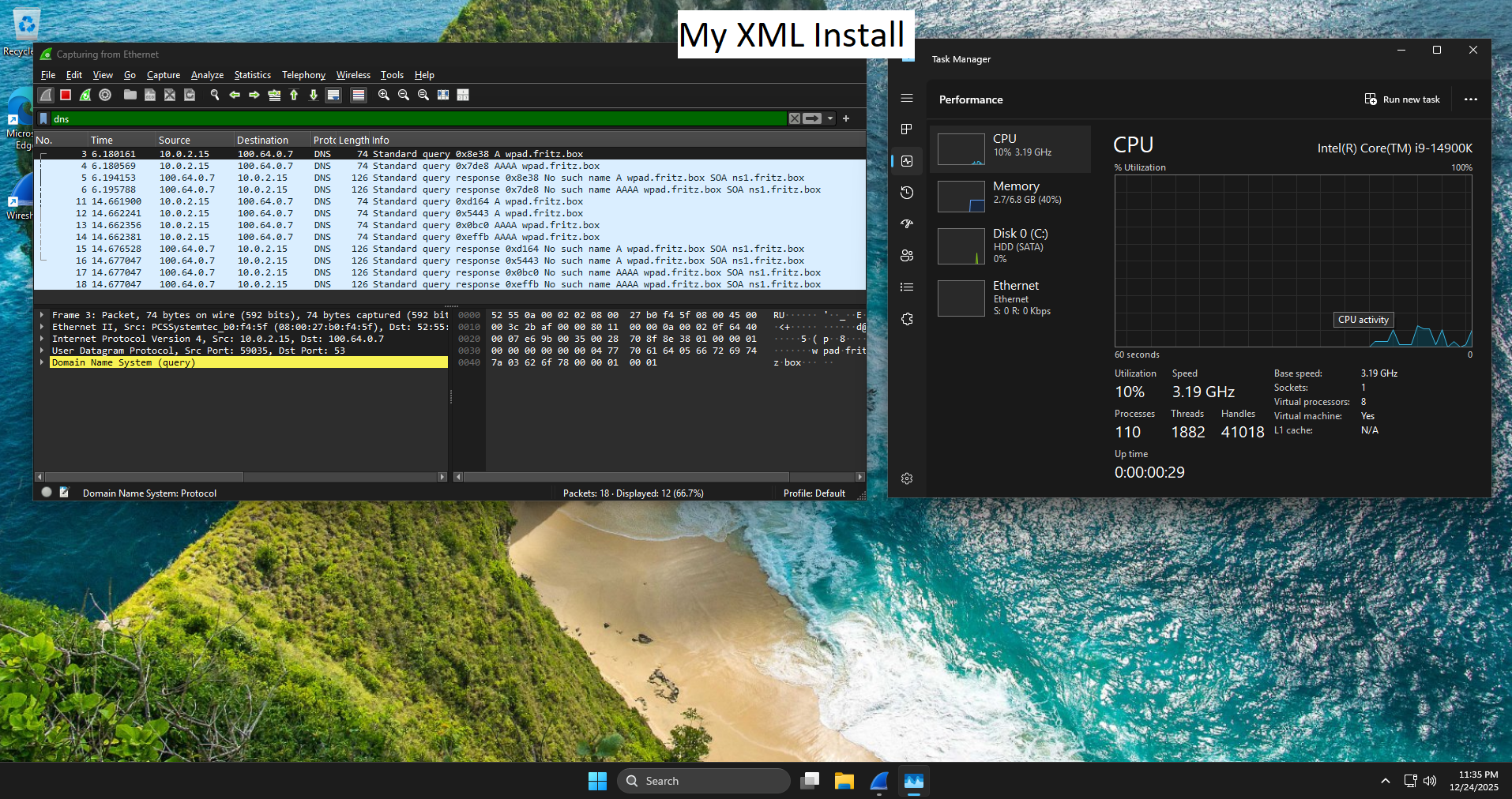
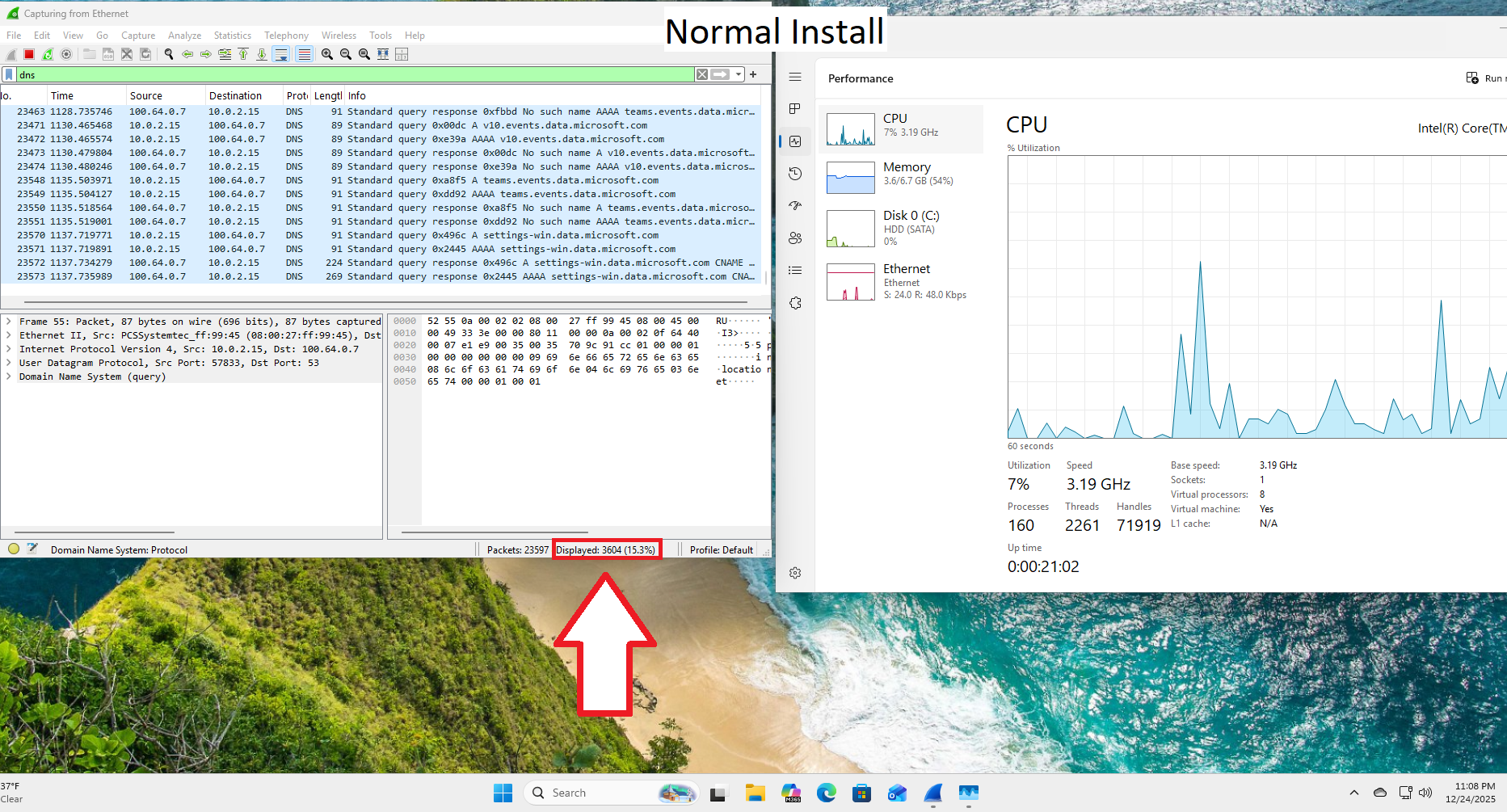
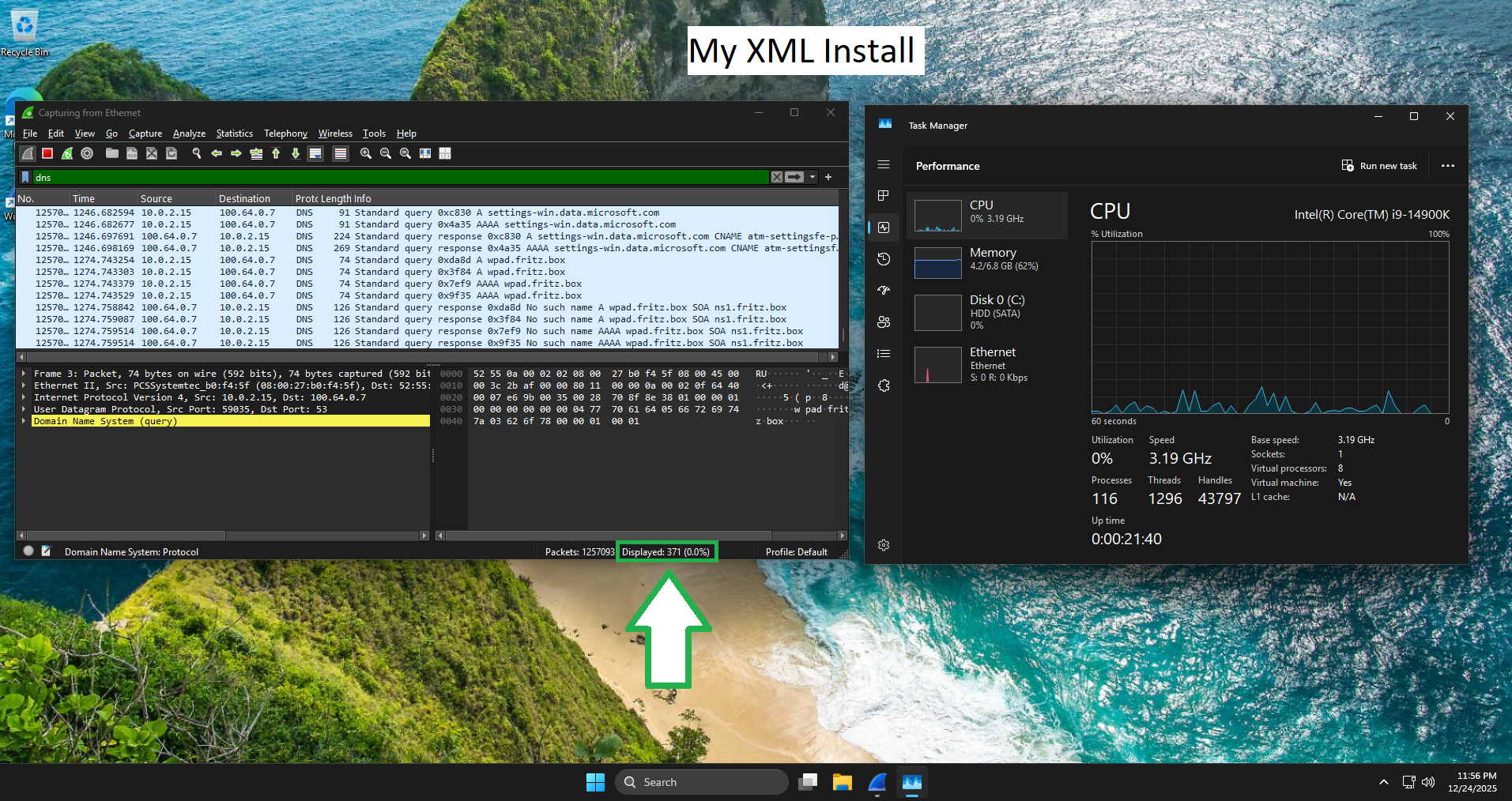
I tested a regular Windows Install without my settings and with my settings. 
The results speak for themselves

Startup

Capture Start

Stop Capture 

Result

-89.7%
Telemetry/DNS Entries
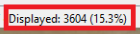
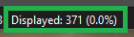
-34.7% Processes

-48.6% RAM Usage
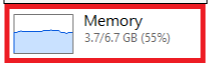
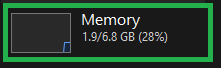


Why 4.2GB ram usage on your Install?
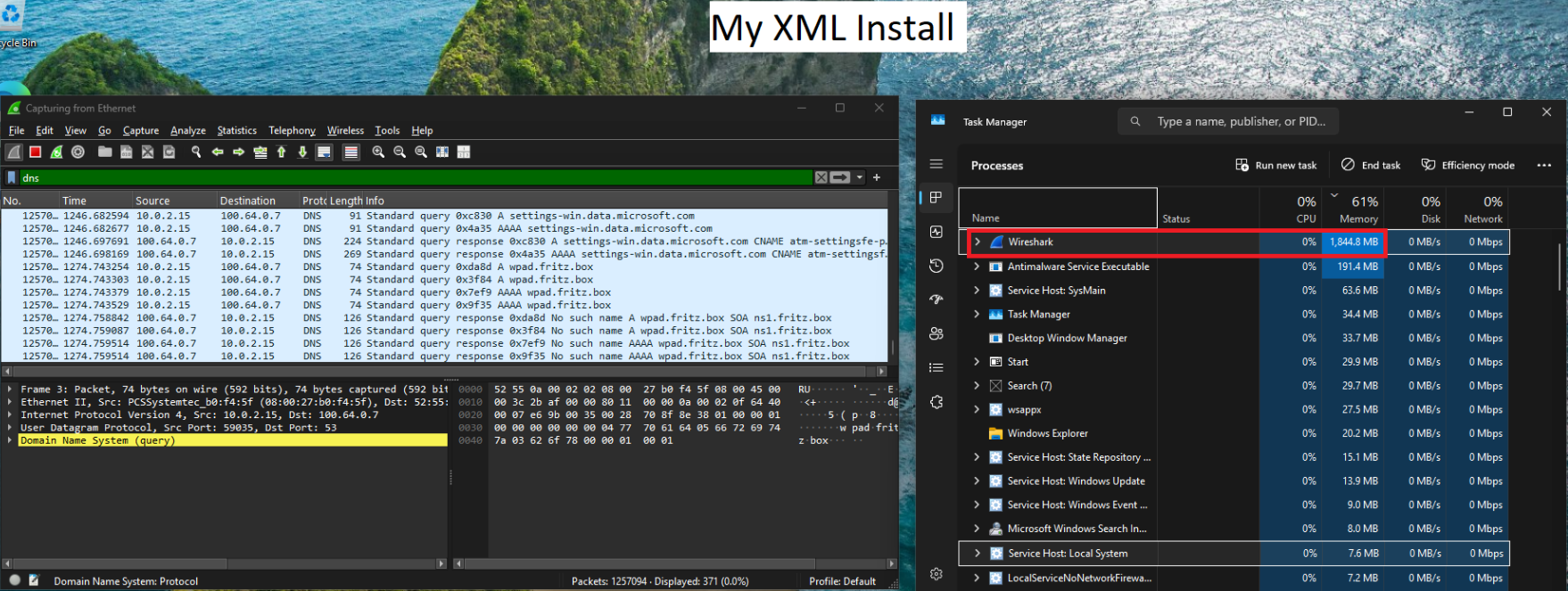
– Restarts shortly after booting to apply settings
– W10 Context menu by default (option to revert to w11 is on desktop)
– Enables “Digital Markets Act” [what does that do?]
– Removed EDGE from autostart 
– Uninstalls Copilot, Recall and other apps (you can simply re-install if something is missing)
– Prevents Windows Update from downloading unoptimal drivers
– Installs even without internet connection
– No TPM / Secure Boot needed (works with hardware that is not w11 compatible)
– You can just create a local account with or without password (no online account force)
– Disables widgets (windows bloat)
– Disables hibernation (causes alot of potential issues / bluescreens)
– Doesnt download “suggested apps”
– Prevents BitLocker Encryption during install (can be enabled manually after)
– Makes Edge and Store uninstallable
– Dark Mode by default
– Disables mouse smoothing (bad for shooters)
– Stopped network adapters from sleeping or disconnecting
– Disables Automatic Maintenance (scheduled maintenance tasks like updates, diagnostics, indexing)
– Stops you from accidentally activating sticky keys
– Disables feedback frequency prompts
– Prevents Windows feedback notifications from appearing

– Adds alot of settings to remove telemetry and other annoyances (see my tests)
– Disables scheduled diagnostic tasks
– Disables Windows CEIP telemetry
– Stops collection of handwriting samples
– Stops collection of typing data for improving recognition
– Prevents contact harvesting for personalization
– Blocks sharing handwriting data with Microsoft
– Disables cloud based typing improvements
– Disables Windows Feature Experimentation
– Disables personalized suggestions based on diagnostic data
– Prevents uploading activity history to Microsoft cloud
– Stops Defender from reporting infection info to MS
– Disables Defender/MRT heartbeat telemetry tracking / Reduces Defender cloud reporting
– Stops Microsoft Diagnostics Hub telemetry collection
– Disables core Windows telemetry service

 Program used to create .exe = 7zip SFX

-Tqhr

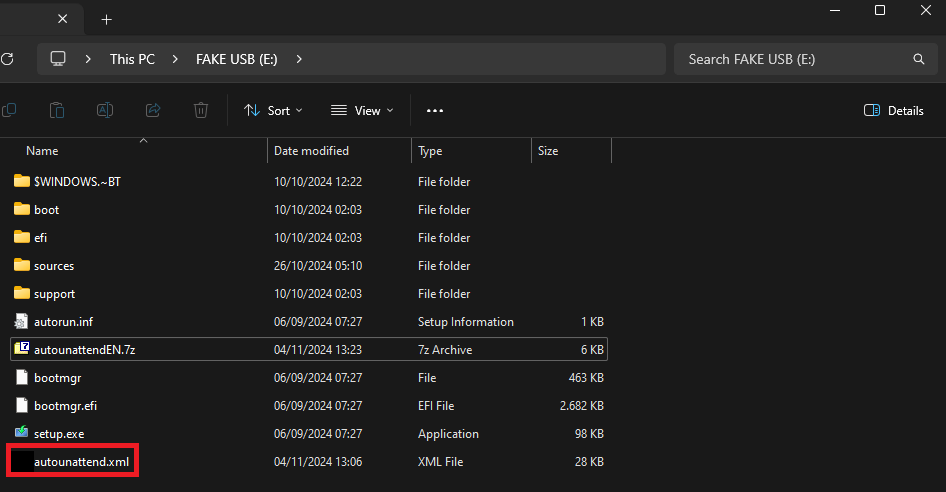
Manual Install

1.
just paste .xml on USB

[DE Windows Version]
[EN Windows Version]

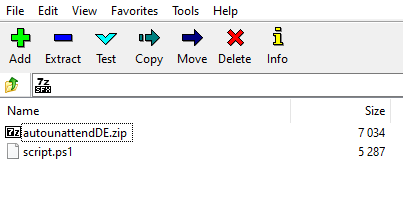
Since this is entirely made with 7zip you can just open it as an archive and see all the contents. 
Open source even, some would say.
“script.ps1” makes sure the zip is properly extracted and then moved to your USB stick. 


German version of .exe 
– 4e84c4d4572f03a70a54b905806655e5d85046afb9634d210e8f6ed909fde83b
– 7D8642C16BCA090F9D67D44DB60FE58DC27DF2A9D10318A11B3B149988EA36BA
– 1ae84c4e83fe3d3c0497a648dc4b177feafe6a68e76a53babae34dac7181417c

English version of .exe
– 5f224ba4028ab11b0cea09dd5bc77058dc545fe2b73df064340dda43670e5df4
– FA3D6F29C809B48B9A2F7143459968DE7D9BCE3596D1D1D8B9B4C409ABEDD8BF
– 8d15a3a58e1363cffce56f2389b34b5fa90abb12bbfc6453a266d39a612e96e8

German Version of .zip
– 6805b6de3fc76bbbb35cdce81621522e6cd4702e7da0ca09362690f03fd66cfe
– 2243ECC671CC5DE58D21CAA1FC56EA0C18D53CDFD8E5E298562E973A3E1784AF
– 5db1bf3df0a5352272e1421cd5c05b84699fae0294890df3ab4e20a11a4dcb0c

English Version of .zip
– 1cae32dab338d2f2d9d16213daf4235419806687dc192b283c489ec423b812ae
– 5BA3E3E043C407C89EA84666925A793004177C9A81B55C5B20A0E2C4EBF6147A
– 8505f57c25d54957dc5488645f1956a41a70c9a87bd10c6a4204b3afca004f42


Leave a Reply

Your email address will not be published.